Dmodel Description and Basic Optimization Example
This page describes Dmodel and introduces the contents of the Dmodel project.
Model description
Dmodel is a four-pole, 24-slot (distributed-winding) interior permanent magnet synchronous motor (IPMSM) model. It is widely used as a standard IPMSM model.
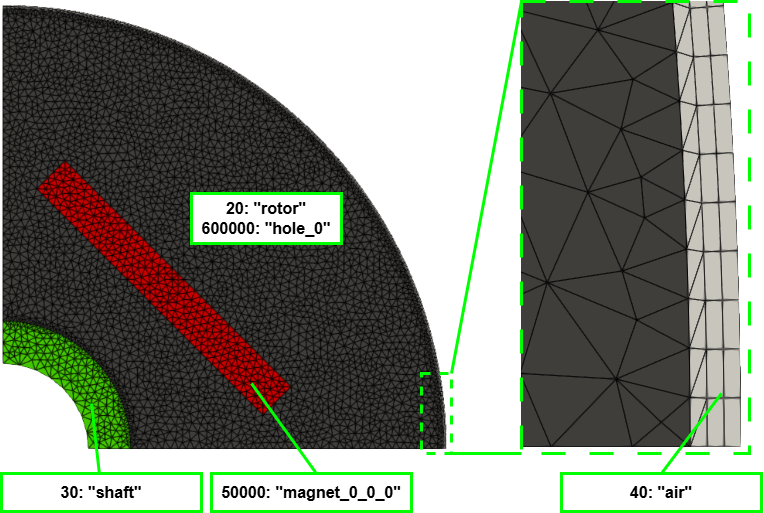
The mesh included with the Dmodel project is a quarter model, and material information (material ID: material name) is assigned to each region.
The figure below shows the rotor model and material information. For topology optimization, the air holes (flux barriers) in the original model have been filled with rotor core. Notably, 40: "air" is the sliding-mesh region, and only this region is meshed with a uniform quadrilateral mesh.
machine.yaml (Dmodel project)
First, examine machine.yaml, which configures the machine information.
Basic settings
Dmodel is defined by radius and angle in the Polar coordinate system.
coordinate: Polar
Dmodel is a half-pole-symmetric model.
has_sym_region: True
The symmetry axis is at 45° from the x-axis.
sym_deg: 45.0
There is no rotationally symmetric region in the quarter model.
num_rotate: 0
Material settings
Here, the design target is the rotor core (material ID 20), with the following settings.
- ON-state material → rotor core (material ID 20)
- OFF-state material → air hole (material ID 600000)
target_ids_and_onoff:
  20:
    - 20
    - 600000
The material IDs and names are assigned as follows.
physical_id_to_name:
  20: rotor
  30: shaft
  40: airgap
  50000: magnet_0_0_0
  600000: hole_0
This is the material-ID map for the symmetric region. Because no material changes across the symmetry axis in this example, every ID is mapped to itself.
mirror_id_map:
  20: 20
  30: 30
  40: 40
  50000: 50000
  600000: 600000
Because there is no rotationally symmetric region, increment_info is empty.
increment_info: {}
Implicit Domain Meshing options
Implicit Domain Meshing is disabled by default and can be enabled by setting it to True.
use_implicit_domain_meshing: False
Regions other than the design target (20: rotor) are not split.
no_split_ids:
  - 30
  - 40
  - 50000
The sliding-mesh region (40: air) is also placed in no_remesh_ids because it must not be remeshed.
Remeshing this region would make the mesh inconsistent with the stator side.
no_remesh_ids:
  - 40
The mesh-quality-related settings are assigned appropriate values.
design_region_size: 0.02
hausd_ratio: 0.0001
hmin_ratio: 0.02
Finally, the evaluation-skip threshold is set to 0.05.
bad_mesh_threshold: 0.05
optimization.yaml (Dmodel project)
Next, examine optimization.yaml, which configures the optimization.
For this single-objective shape optimization, evaluator is fixed to pyemsol_shape_evaluator, and the single-objective optimization algorithm cmaes is configured with a fixed random seed.
evaluator:
  name: pyemsol_shape_evaluator
optimizer:
  name: cmaes
  kwargs:
    seed: 42
Set ngnet as the level set function to perform topology optimization with the NGnet on/off method. The kwargs are assigned appropriate values. In particular, design_region covers the rotor inner-to-outer radius and the range from 0° to the symmetry axis.
level_set_function:
  name: ngnet
  kwargs:
    sigma: 0.0013
    design_region: [[0.008, 0.0275], [0, 45.0]]
                 # [[inner, outer],  [0, sym_deg]]
    coordinate: Polar
This example performs 100 optimization iterations.
Parallel processing is disabled by default and can be enabled by setting it to True.
num_iteration: 100
enable_parallelization: False
num_processes: Null  # if Null, automatically set from cpu counts
(Output-related settings are omitted.)
optimization_problem.yaml (Dmodel project)
The Getting Started > Defining the Optimization Problem page explains the optimization_problem.yaml configuration.
The single-objective optimization problem defined here is as follows.
: Average torque [Nm]
: Torque ripple percentage [%]
Optimization Example
Optimization was performed with Implicit Domain Meshing enabled (use_implicit_domain_meshing: True).
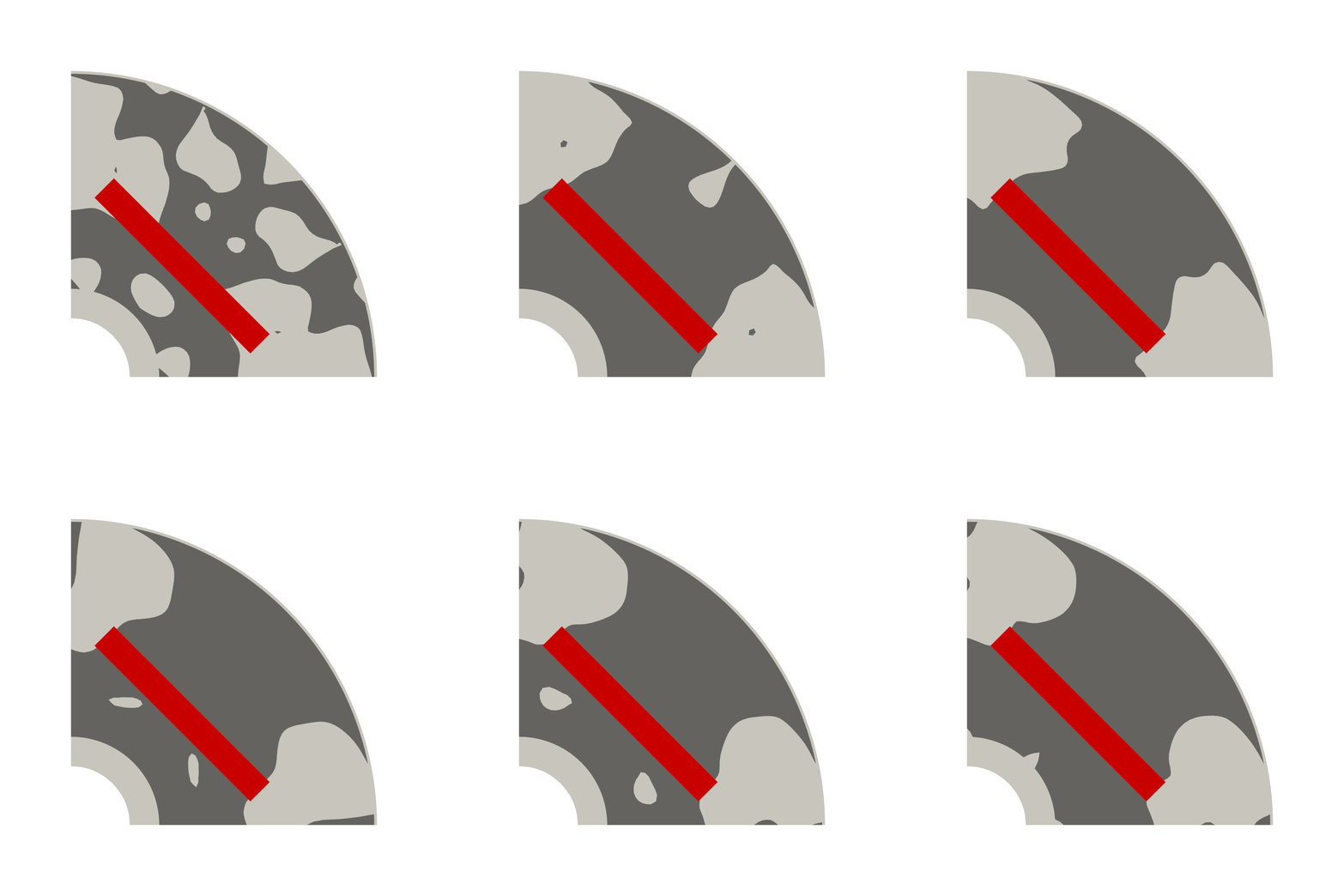
The following animation shows the shape evolution over 100 iterations (the best shape from each iteration). The shapes are initially random, then gradually converge to a shape with consistent features. The material boundary is smooth because Implicit Domain Meshing is used.
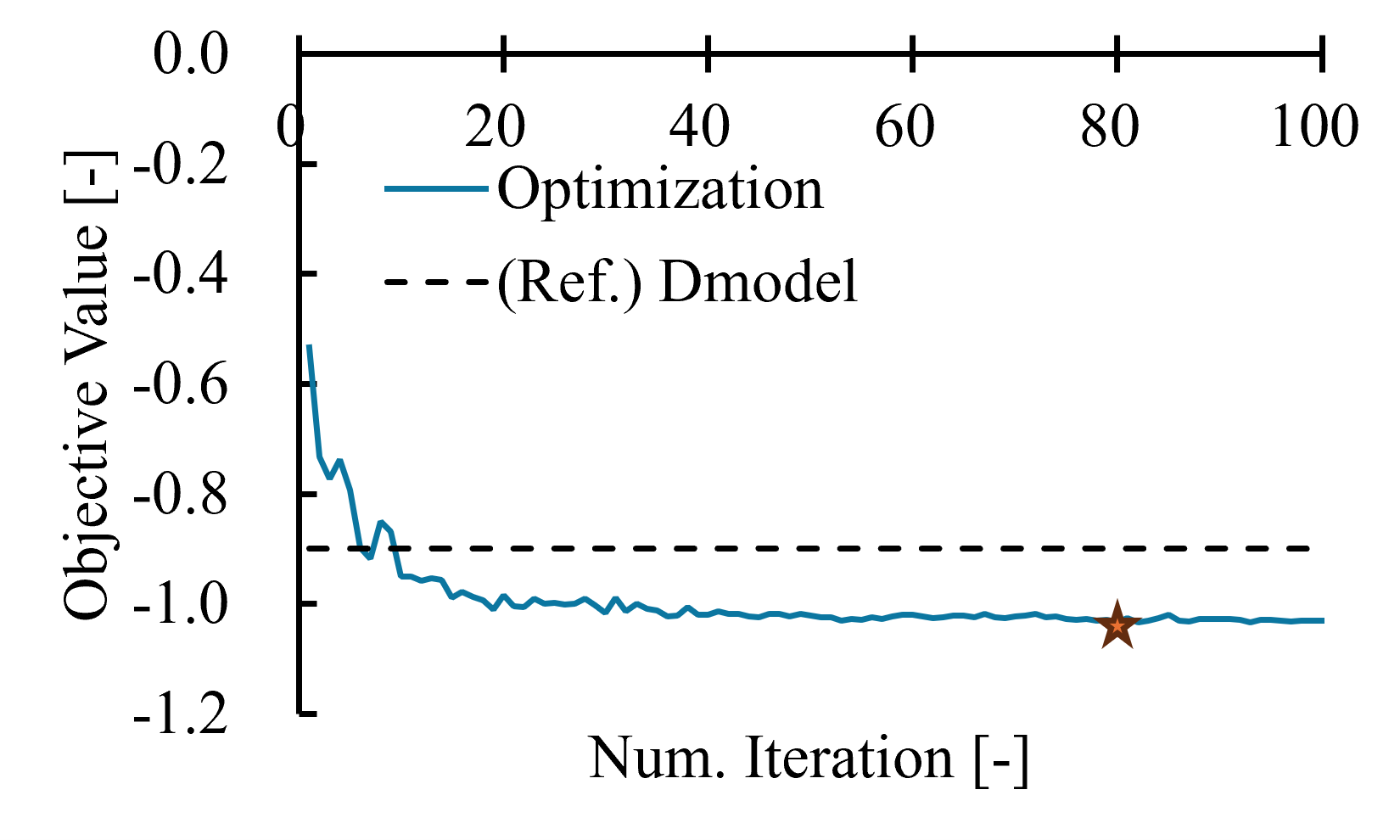
The following graph plots iterations on the horizontal axis and the best evaluation value in each iteration on the vertical axis. A solution surpassing the original Dmodel (black dashed line) is obtained after approximately 10 iterations.
Because the evaluation value changes very little near the final iterations, the optimization is considered to have sufficiently converged after 100 iterations.
The best evaluation value was recorded at iteration 80 (star in the figure).
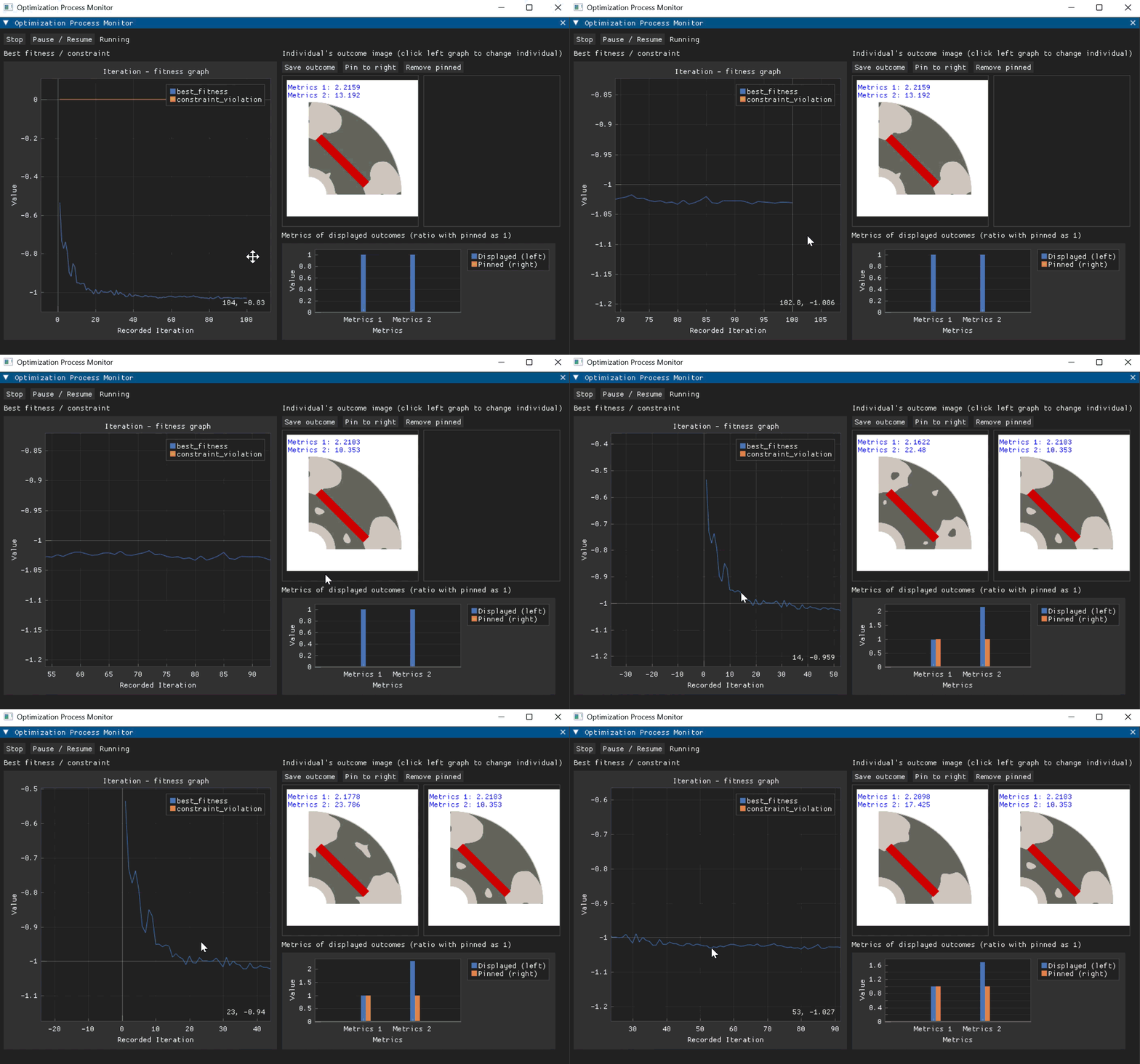
The evolution can also be viewed in the GUI (enable the GUI and use the run command, or use the check command after optimization completes).
The figure below shows the best shape obtained by optimization (iteration 80). Average torque: 2.2 Nm; torque ripple percentage: 10.4% (Dmodel reference values: average torque: 2.1 Nm; torque ripple percentage: 54.0%).
Large flux barriers form at both ends of the permanent magnets, producing a shape that makes effective use of the permanent-magnet flux.
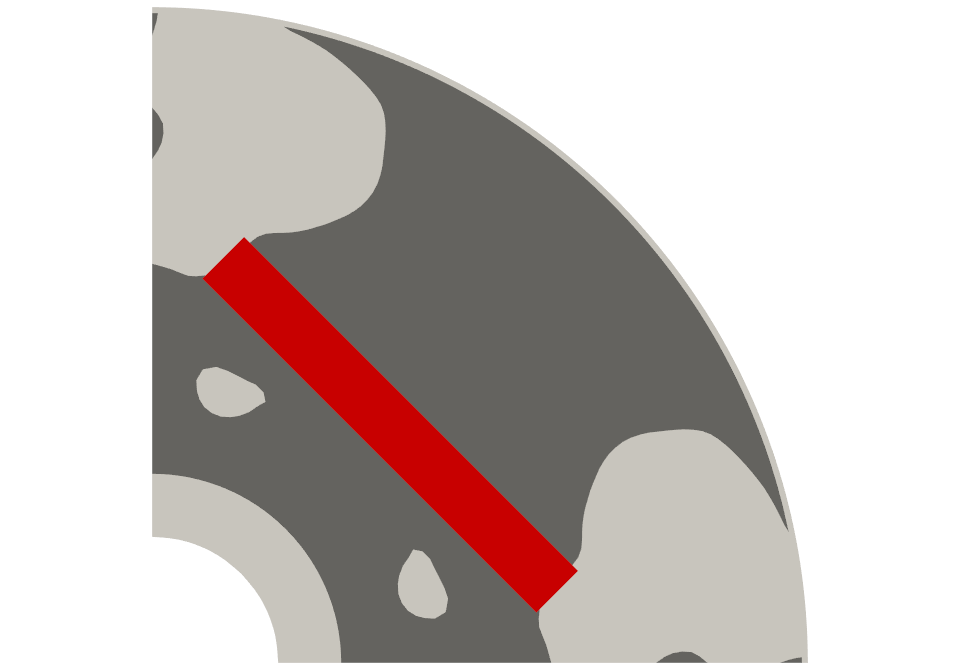
This optimization does not constrain the rotor core, so the best shape has disconnected rotor-core regions.
To constrain the rotor core to remain connected, add the following setting to optimization_problem.yaml.
eq_constraints:
  - function_name: num_connected_components
    kwargs:
      physical_tag: 20
    baseline: 1.0
num_connected_components calculates the number of connected components (that is, the number of contiguous regions) of the specified material. Adding it to baseline: 1.0 (the equality-constraint list) with eq_constraints applies the following constraint to the optimization.
: Number of connected components